 Skip to content

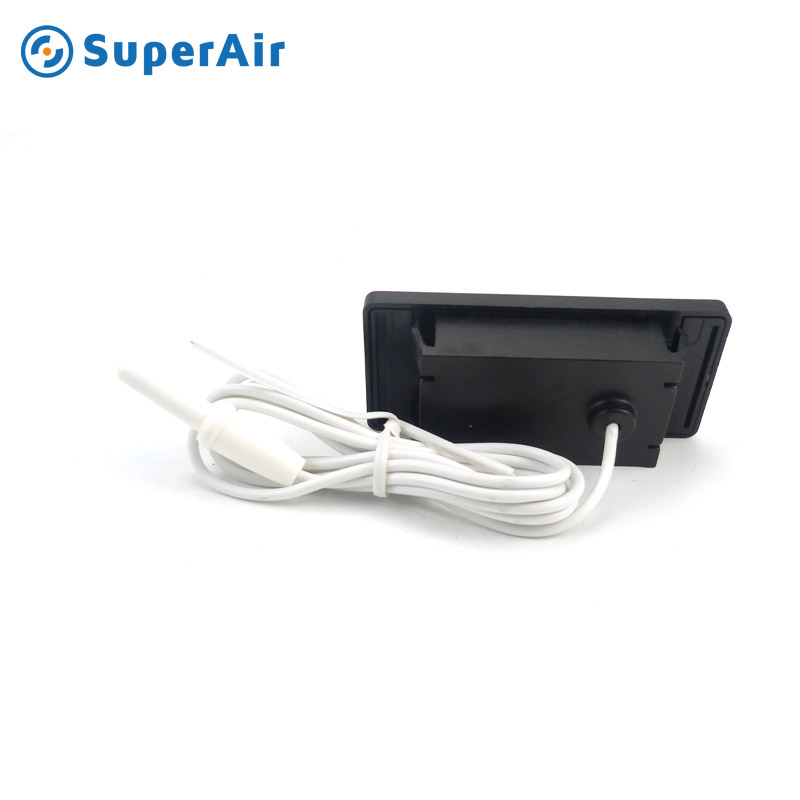
Temperature Humidity Monitor Clock
At Superaircool , we are committed to delivering high-quality solutions for HVAC and indoor climate management. One of our most innovative products is the Temperature Humidity Monitor Clock , a multifunctional device designed to improve indoor comfort by providing precise measurements of temperature and humidity levels. This guide explores the key features, benefits, applications, and answers frequently asked questions about this essential product.
Product Overview
The Temperature Humidity Monitor Clock is a modern, compact device that combines three essential functions in one:
- Temperature Monitoring : Displays current indoor temperature in both Celsius and Fahrenheit, providing instant feedback on room conditions.
- Humidity Monitoring : Shows real-time indoor humidity levels to help maintain a healthy environment and prevent issues caused by excessive moisture or dryness.
- Clock Function : Includes a digital clock with a clear display for timekeeping, alarms, and reminders.
This versatile monitor is ideal for homes, offices, warehouses, laboratories, greenhouses, and any space where maintaining optimal temperature and humidity is crucial.
What is the ideal indoor temperature and humidity range?
The ideal indoor temperature is between 68°F to 72°F (20°C to 22°C) . This range ensures maximum comfort for most people. The recommended humidity level is between 30% to 50% . Maintaining this range helps prevent health issues, keeps electronics and furniture safe, and reduces the risk of mold growth.
How often should I check the monitor?
It is recommended to check the monitor at least twice a day to ensure indoor conditions are within the ideal range. For environments that are more sensitive to temperature and humidity changes, such as greenhouses or laboratories, more frequent checks—every few hours—are advised .

How to Use the Temperature Humidity Monitor Clock
- Power the Device : Insert the required batteries or connect to a power source. Check the user manual for specific power requirements.
- Place the Monitor : Choose a suitable location for the monitor. For accurate readings, avoid placing it in direct sunlight or near heat sources like radiators and vents.
- Set the Clock : Use the buttons to adjust the time and set alarms if needed.
- Monitor Readings : Regularly check temperature and humidity levels and adjust your HVAC system or humidifier/dehumidifier accordingly.
- Track Historical Data : Some models allow you to track historical data to identify trends in your indoor environment.
Key Features
- Accurate Measurements : Equipped with advanced sensors to provide precise temperature and humidity readings, ensuring that you can make informed decisions about your indoor environment.
- Clear Digital Display : Features a large , easy-to-read LCD screen that shows temperature, humidity, and time simultaneously.
- Multiple Mounting Options : Designed with flexibility in mind, the device can be wall-mounted, placed on a flat surface, or even attached to a magnetic surface for convenience.
- Compact and Stylish Design : With a sleek, modern appearance, the monitor blends seamlessly into any room’s decor.
- Alarm and Reminder Function : Some models include an alarm clock feature, which can be set to alert you to specific times or conditions.
- Energy-Efficient : Designed to consume minimal power, ensuring long-lasting performance with low maintenance.
- Backlight Functionality : Some models come with a backlight option, making it easy to read the display in low-light conditions.
- Memory Function : The device can store historical data on temperature and humidity fluctuations, allowing you to track changes over time.
Benefits of Using a Temperature Humidity Monitor Clock
1. Improved Indoor Air Quality
Maintaining the right balance of temperature and humidity is essential for healthy indoor air. This monitor helps detect any imbalances that can cause discomfort or health issues such as dry skin, respiratory problems, or mold growth.
2. Protection for Electronics and Furniture
High humidity levels can damage electronics, wooden furniture, and other household items. The monitor helps you keep humidity within safe levels to protect your valuable belongings.
3. Health Benefits
Proper humidity levels can reduce the risk of respiratory problems, allergies, skin irritations, and other health issues caused by poor indoor air quality.
4. Energy Savings
By monitoring indoor conditions, you can adjust your HVAC systems more efficiently, leading to energy savings and reduced utility bills.
5. Increased Comfort
A comfortable indoor environment is essential for productivity and well-being. This device helps you maintain the ideal temperature and humidity levels for maximum comfort.
Applications
The Temperature Humidity Monitor Clock is suitable for various settings, including:
- Homes: Ensures a comfortable and healthy living environment for your family.
- Offices: Maintains productivity by providing optimal working conditions for employees.
- Warehouses: Helps protect stored goods from damage due to incorrect temperature and humidity levels.
- Laboratories: Ensures precise conditions for experiments and sample storage.
- Greenhouses: Helps monitor and control growing conditions for plants to ensure optimal growth and yield.
- Hospitals and Clinics: Ensures that temperature and humidity levels meet medical standards to protect patients and medical equipment.
- Museums and Libraries: Helps preserve artifacts, books, and documents by maintaining the correct environmental conditions.

Can I use the monitor outdoors?
No, the monitor is specifically designed for indoor use only. Outdoor use could expose the device to elements like rain, wind, and direct sunlight, which can damage the sensors and affect the accuracy of the readings. For outdoor monitoring, consider purchasing a weather-resistant model.
Does the device require calibration?
Yes, although the device comes factory-calibrated, it may require periodic calibration for continued accuracy. You can follow the instructions in the user manual to calibrate the device. Calibration ensures that the readings remain reliable over time, especially if the monitor is used in a demanding environment.
How do I maintain the monitor?
Proper maintenance is essential to ensure the device’s longevity and accuracy:
- Clean the Device: Wipe the monitor regularly with a soft, dry cloth to remove dust and dirt.
- Replace Batteries: Change the batteries when the low battery indicator shows up on the screen.
- Avoid Extreme Conditions: Keep the monitor away from direct sunlight, heat sources, and excess moisture.
- Store Safely: When not in use, store the monitor in a dry, secure place to protect it from accidental damage.
Can I connect the monitor to my smartphone?
Yes, some advanced models feature Bluetooth or Wi-Fi connectivity. These models allow users to sync the monitor with a smartphone app, enabling real-time monitoring, alerts, and historical data tracking. Check your model’s product specifications to see if it supports this functionality.
Does the device have an alarm function?
Yes, most models come with an alarm clock feature . The alarm can be set to go off at specific times or when the temperature and humidity levels go beyond the preset thresholds. This feature can also serve as a reminder for regular environmental checks.
How long does the battery last?
Battery life varies depending on the model and usage. On average, batteries last 6 to 12 months under normal usage conditions. Models with low-battery indicators will notify you when it’s time to replace the batteries, ensuring uninterrupted performance.
What should I do if the readings seem inaccurate?
If you notice inaccurate readings:
- Check Placement : Ensure the monitor is not near heat sources or in direct sunlight .
- Replace Batteries : Low batteries can affect the device’s performance.
- Calibrate the Device : Follow the user manual to perform a calibration.
- Check for Damage : Inspect the monitor for any physical damage that may impact sensor accuracy.

Maintenance Tips
To ensure your Temperature Humidity Monitor Clock remains accurate and reliable, follow these maintenance tips:
- Regular Cleaning : Wipe the device with a soft, dry cloth to remove dust and debris.
- Battery Replacement : Replace the batteries when the low battery indicator appears on the display.
- Calibration : If necessary, calibrate the device according to the user manual to maintain accuracy.
- Avoid Extreme Conditions : Do not expose the monitor to extreme temperatures, moisture, or direct sunlight.
Why Choose Superaircool?
At Superaircool , we pride ourselves on providing reliable and innovative HVAC solutions. Our Temperature Humidity Monitor Clock is designed with precision and user convenience in mind. By choosing our products, you benefit from:
- High-Quality Components : Ensuring durability and accuracy.
- Advanced Technology : Incorporating the latest sensor technology for precise readings.
- Comprehensive Customer Support : Providing assistance and guidance for all your product needs.
- Competitive Pricing : Offering high-quality products at affordable prices.
Contact Us
For more information about the Temperature Humidity Monitor Clock and other products, please visit our website: https://www.superaircool.com or contact our sales team.

