Skip to content

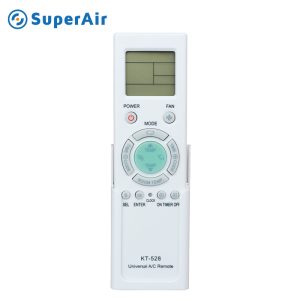
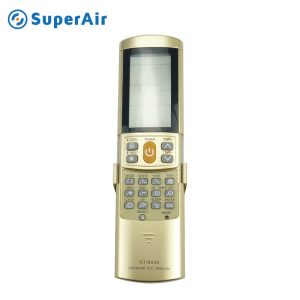
K-1028E is the very latest in universal AC remote controllers. It is compatible with most brands and models of air conditioners. It features digital automatic code searching function and a low power consumption function, all with a large LCD
display.
Once the batteries are loaded, there is no need to set the remote. An ergonomic design with easy-to-use buttons for a seamless operation. Built-in clock, on/off timer and an adjustable illumination
function.
This SuperAir Air Conditioner Remote Control K-1028E is an innovative gadget designed to enhance your experience with air conditioning. Its user-friendly interface and wide compatibility the remote control lets users to manage their AC unit’s settings easily at any time in the room. You can adjust the temperature, alter the mode or set an alarm it comes with all the essential functions needed to warrant your comfort and ease.
Installation of the SuperAir Control for the Air Conditioner K-1028E Remote Control is a straightforward procedure that requires no effort:
This SuperAir Remote Control for Air Conditioner K-1028E has been made for modern ease of use, giving users the capability to control their air conditioning systems with ease.
| Attribute | Details |
| Material | Durable Plastic |
| Battery Type | AAA battery (2 required batteries, not included) |
| Weight | 0.15 pounds |
| Compatibility | Universal for most AC models |
| Warranty | 1-year manufacturer’s warranty from the manufacturer |
Is the SuperAir K-1028E remote compatible with all air conditioning brands?
The K-1028E is made to work with a variety of air conditioner models. It is recommended to check the compatibility of your particular unit prior to purchasing.
What type of batteries does the K-1028E remote use?
The remote needs two AAA batteries. These aren’t included with the purchase.
How do I know if my remote control is working properly?
Check that the batteries are placed and are fully charged. If the remote isn’t responding to your commands, you can consider replacing the batteries.
Can I control multiple air conditioning units with one remote?
The SuperAir K-1028E was designed for use with just one cooling unit the same time. If you have more than one unit it is necessary to have separate remotes.
What should I do if my remote control is unresponsive?
If your remote control is not responding, first test for batteries, and then replace them as needed. If the remote control is still not working check the user’s manual or call SuperAir Customer Support for assistance.
Verify compatibility with your air conditioner model prior to purchasing. Place the remote control in a secure location to protect it from damage or loss. Replace the batteries if the remote ceases to respond, in order to ensure that it is operating at its best.
SuperAir reviews each request before any catalog, drawing, certificate or technical file is sent.
We will contact you within 1 working day, please pay attention to the email with the suffix “@superaircool.com”.
 Optimized by Seraphinite Accelerator